desklet · v1.1.0 · GPL-2.0+
World Clock
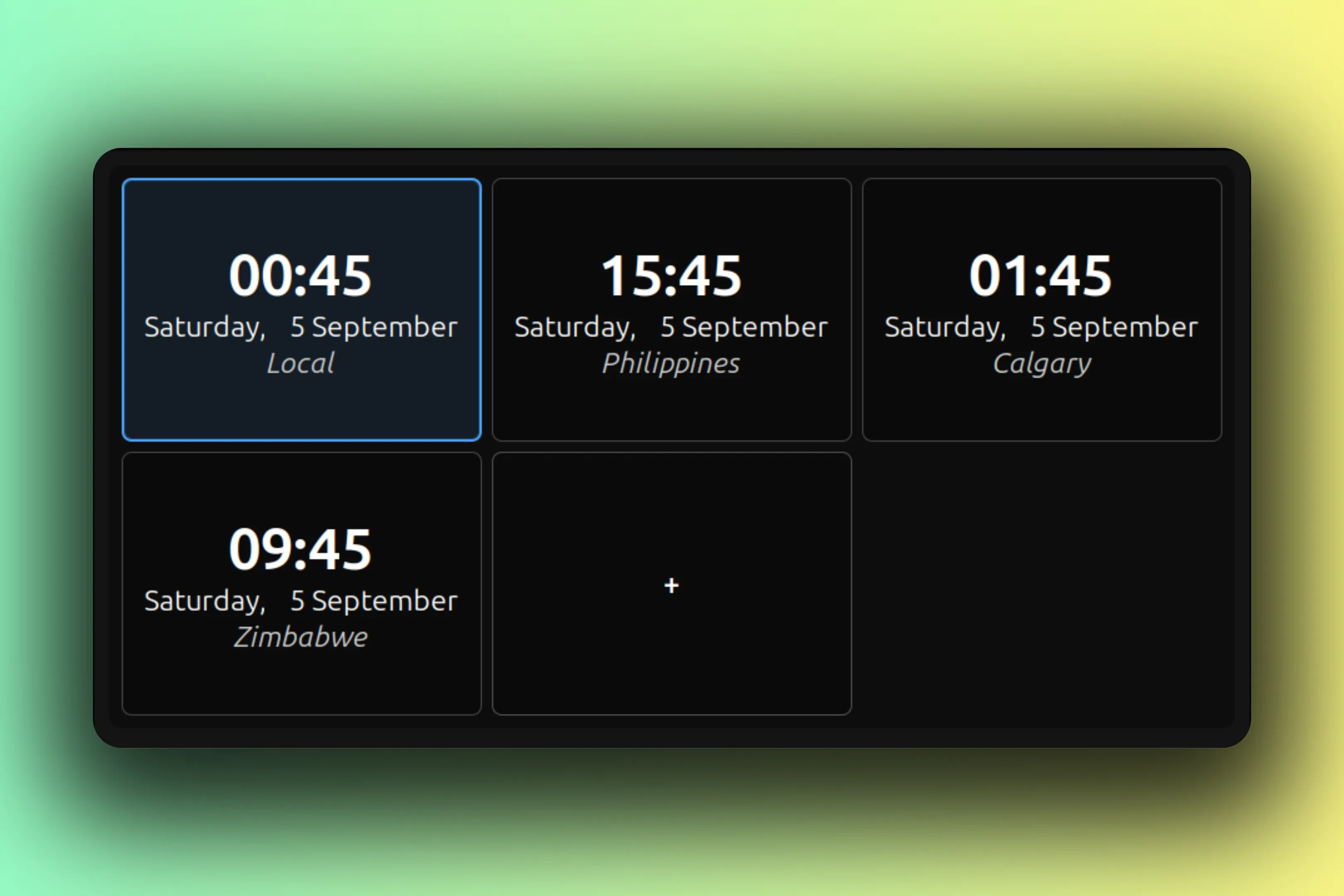
A grid of clocks, one per timezone, always visible on the desktop.
desklet · v1.1.0 · GPL-2.0+
A grid of clocks, one per timezone, always visible on the desktop.
Why this exists
Good world clock apps are hard to find. On any OS. The good ones live on your phone, or they bury the feature under menus, or they insist on taking over your system timezone.
A glance at my desktop to see what time it is where my colleagues and partners are, all over the world, without touching my own clock.
That is what this desklet is. One grid, one tile per timezone, always visible. Clocks set to your own system timezone get an outline, so local and far away are told apart before you finish reading the time.
Add a clock with the trailing + tile and name it after whatever it means to you: a colleague, an office, family. Right-click a tile to edit or remove it. The last clock stays put, and once the setup is final you can switch editing off entirely and leave a read-only grid.
It is a desklet, not the panel World Clock Calendar applet, so it runs happily beside that one and shares nothing with it. World Clock grew out of TimeAndDate@nightflame, and the credit sits in the meta rail where it belongs.
desklet v1.1.0 GPL-2.0+
Features
Settings
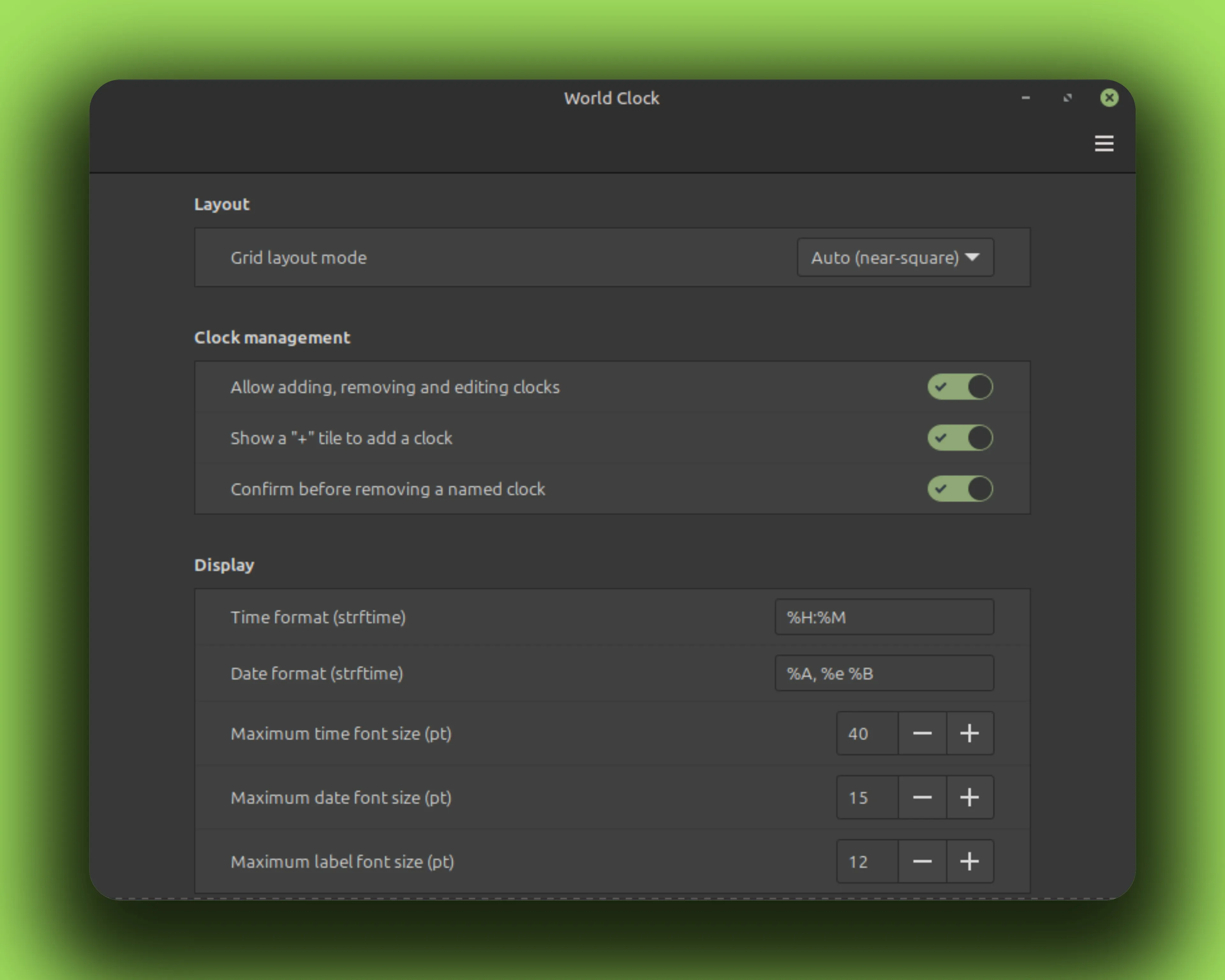
Right-click the desklet and choose Configure. Layout, clock management, formats, sizing: these are the real rows, in the real order, with the real defaults.
Every tile shares the same two formats. Font sizes are maximums: each tile scales its text down until it fits.
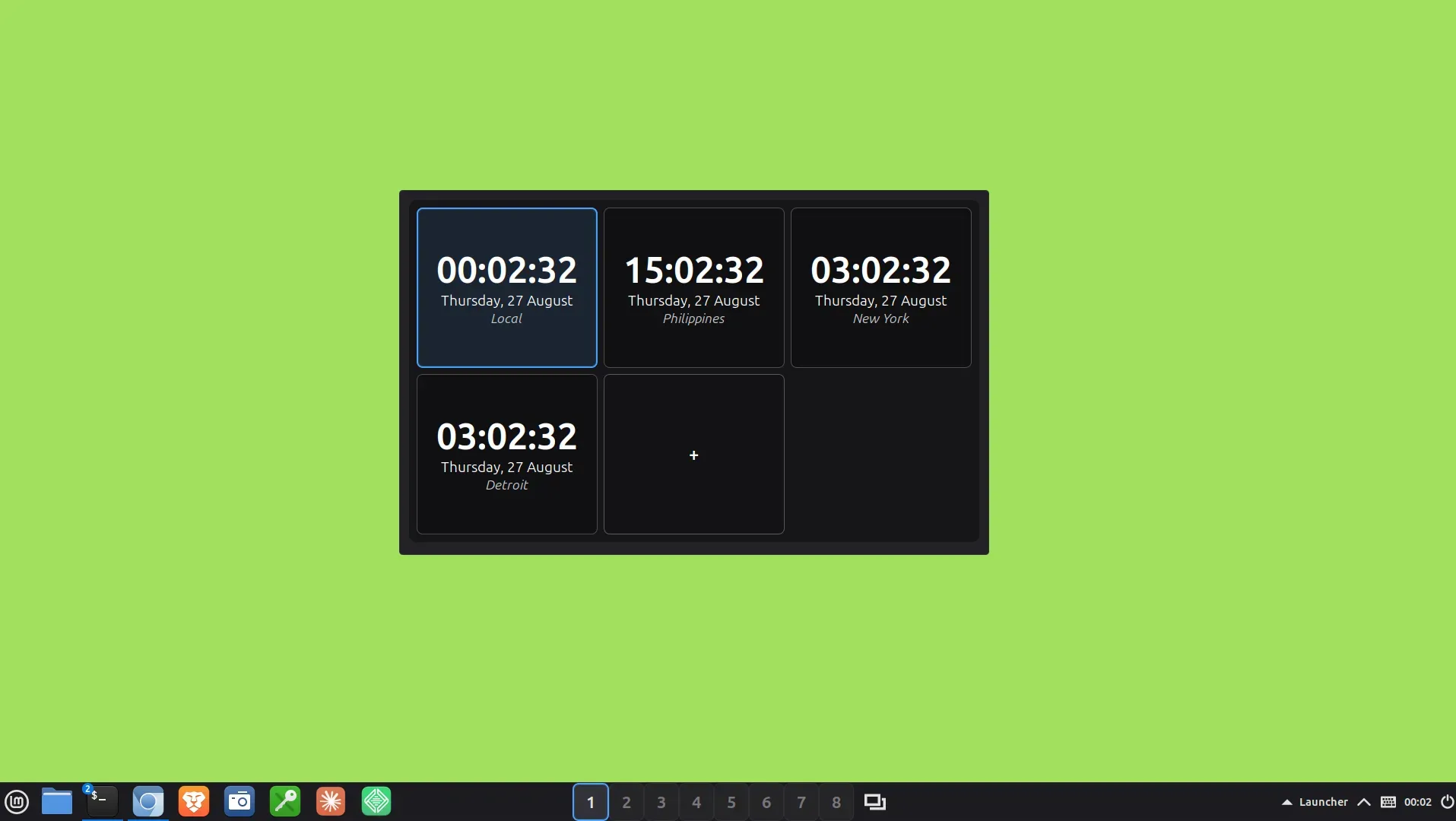
Clocks set to your system timezone are outlined; here that is Vancouver. The + tile adds the next one, and right-click edits any tile.
Gallery
Install
No root needed. Everything lands in your home directory. The rm -rf before each copy is the upgrade path; your settings live elsewhere and survive.
curl -fLO https://github.com/CurbSoftware/cinnamon-world-clock-desklet/releases/latest/download/cinnamon-world-clock-desklet.zip
unzip -o cinnamon-world-clock-desklet.zip
mkdir -p ~/.local/share/cinnamon/desklets
rm -rf ~/.local/share/cinnamon/desklets/cinnamon-world-clock-desklet@curbsoftware
cp -r cinnamon-world-clock-desklet@curbsoftware/files/cinnamon-world-clock-desklet@curbsoftware ~/.local/share/cinnamon/desklets/cinnamon-world-clock-desklet@curbsoftware git clone https://github.com/CurbSoftware/cinnamon-world-clock-desklet.git || git -C cinnamon-world-clock-desklet pull
cd cinnamon-world-clock-desklet
mkdir -p ~/.local/share/cinnamon/desklets
rm -rf ~/.local/share/cinnamon/desklets/cinnamon-world-clock-desklet@curbsoftware
cp -r files/cinnamon-world-clock-desklet@curbsoftware ~/.local/share/cinnamon/desklets/cinnamon-world-clock-desklet@curbsoftware Restart Cinnamon (Alt-F2, type r, Enter), then add the desklet from Cinnamon Settings.