desklet · v1.8.0 · GPL-2.0+
Color Timer Clock
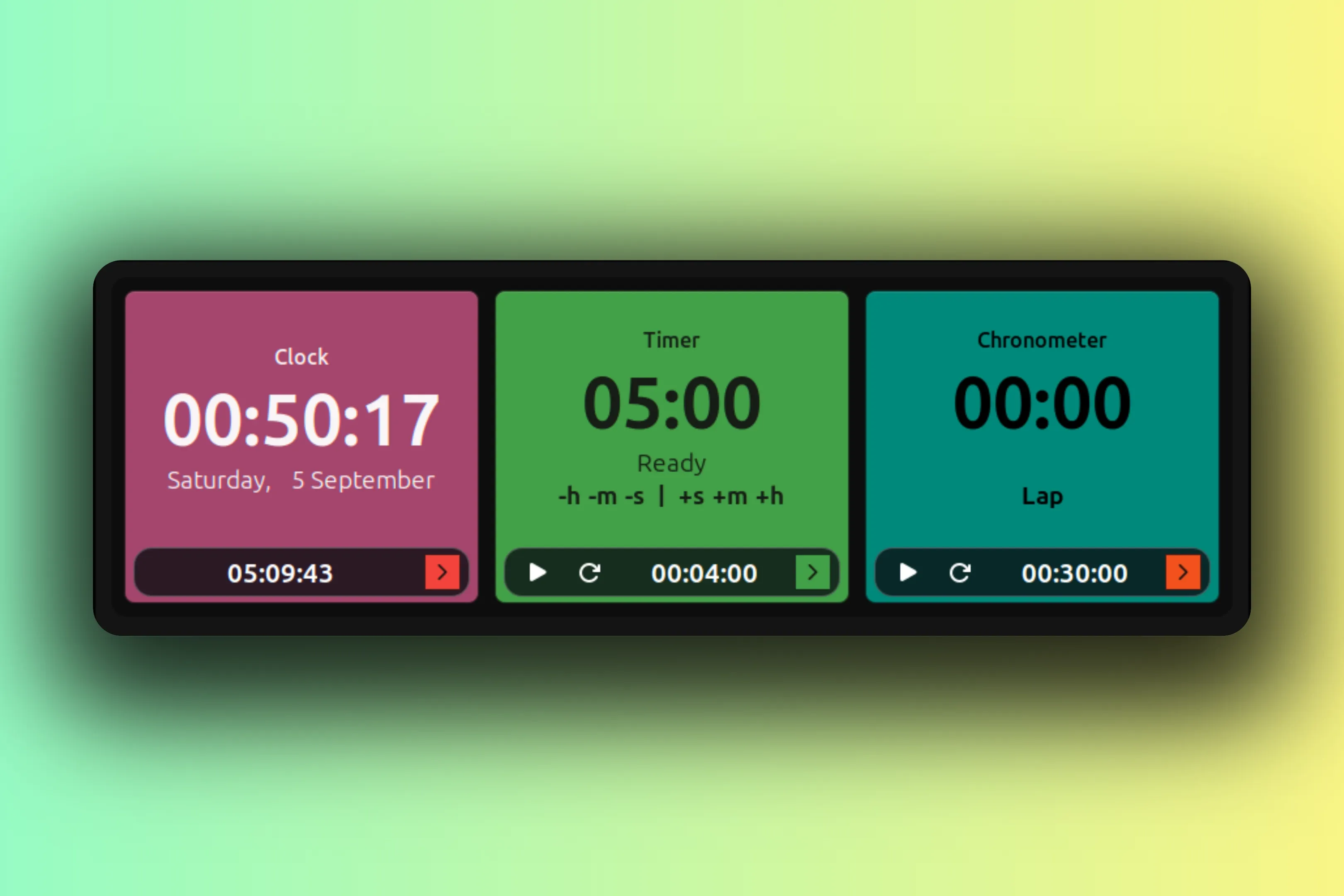
Clock, timer, and chronometer cards whose colors follow a schedule.
desklet · v1.8.0 · GPL-2.0+
Clock, timer, and chronometer cards whose colors follow a schedule.
Why this exists
The color is not decoration. It is the signal. Each card has a job.
One glance tells me the state of things. That is the whole idea.
The clock shows when AI providers run their low-traffic discounts: set the stops to match the window and you know when it is cheap to run. The timer counts down to credit resets, so you know when the budget comes back. The chronometer runs sprints: green for the first half hour, amber sliding to red over the next hour and a half, blue once two hours are up. Blue means take a break.
A schedule is just rows of times and colors. Blend smoothly between stops, or hold each color and jump at the next one. The clock wraps over midnight so late shifts are covered, a running timer survives a restart, and text picks its own shade so every card stays readable.
Each card carries a footer clock: HH:MM:SS until the next color, with a sample chip pinned to the right edge showing what is coming. The old version put that in a caption too small to read. Turn the footer off from Display settings and the timer and chronometer controls stay right where they are.
desklet v1.8.0 GPL-2.0+
Features
Settings
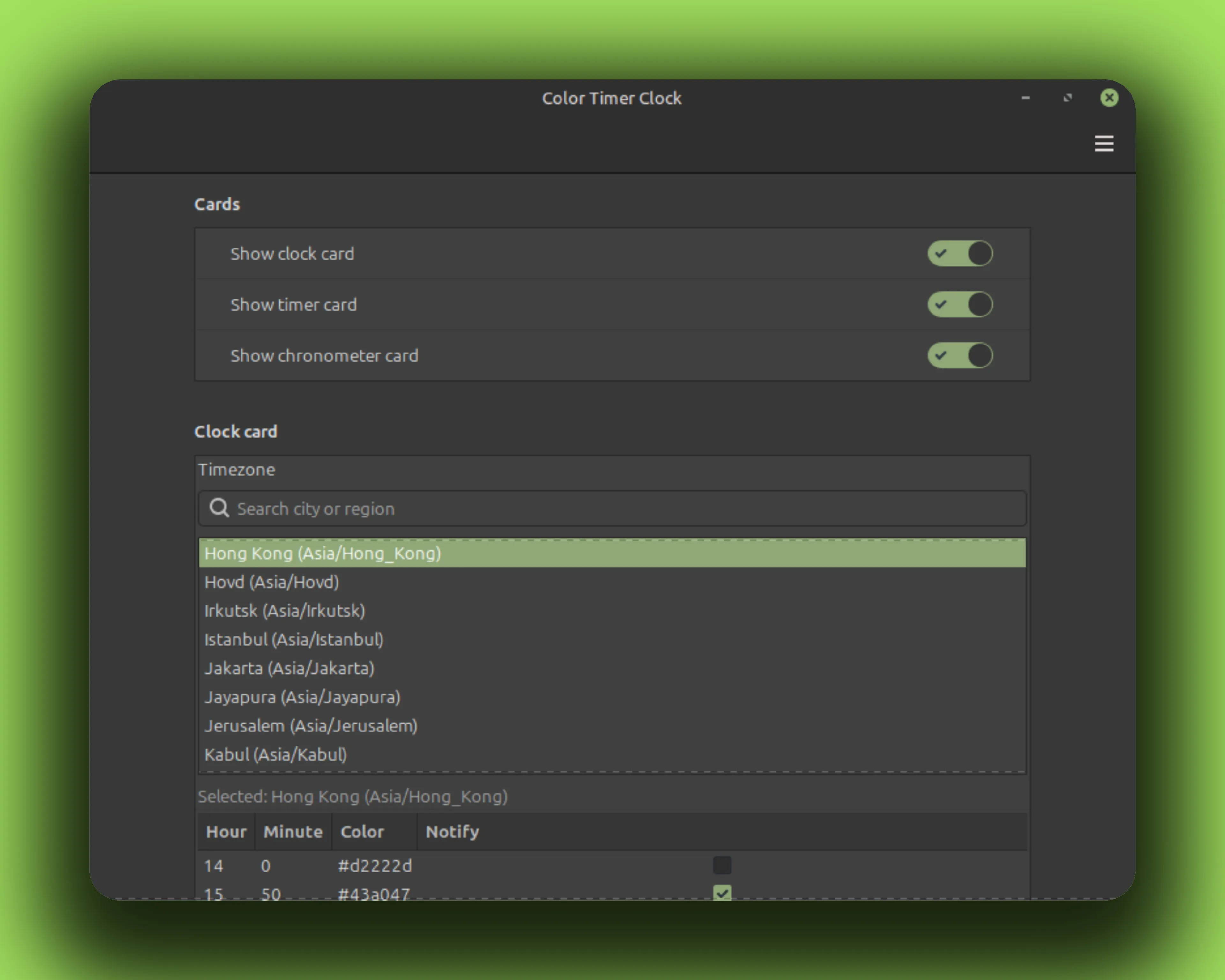
Every card has its own list of time and color stops, edited in plain rows. These settings are the real ones; the band below is a schedule you might set on the clock card.
At 15:42 the card sits between the 12:30 amber and 17:00 copper stops, so its background is the blend of the two: #cd6e17. Text picks a readable shade for the background, and the Next chip previews the upcoming stop with its color sample.
Gallery
Install
No root needed. Everything lands in your home directory. The rm -rf before each copy is the upgrade path; your settings live elsewhere and survive.
curl -fLO https://github.com/CurbSoftware/cinnamon-color-timer-clock-desklet/releases/latest/download/cinnamon-color-timer-clock-desklet.zip
unzip -o cinnamon-color-timer-clock-desklet.zip
mkdir -p ~/.local/share/cinnamon/desklets
rm -rf ~/.local/share/cinnamon/desklets/cinnamon-color-timer-clock-desklet@curbsoftware
cp -r cinnamon-color-timer-clock-desklet@curbsoftware/files/cinnamon-color-timer-clock-desklet@curbsoftware ~/.local/share/cinnamon/desklets/cinnamon-color-timer-clock-desklet@curbsoftware git clone https://github.com/CurbSoftware/cinnamon-color-timer-clock-desklet.git || git -C cinnamon-color-timer-clock-desklet pull
cd cinnamon-color-timer-clock-desklet
mkdir -p ~/.local/share/cinnamon/desklets
rm -rf ~/.local/share/cinnamon/desklets/cinnamon-color-timer-clock-desklet@curbsoftware
cp -r files/cinnamon-color-timer-clock-desklet@curbsoftware ~/.local/share/cinnamon/desklets/cinnamon-color-timer-clock-desklet@curbsoftware Restart Cinnamon (Alt-F2, type r, Enter), then add the desklet from Cinnamon Settings.