applet · v1.2.0 · GPL-2.0+
In Panel Workspace Name
Every workspace, living on the panel.
applet · v1.2.0 · GPL-2.0+
Every workspace, living on the panel.
Why this exists
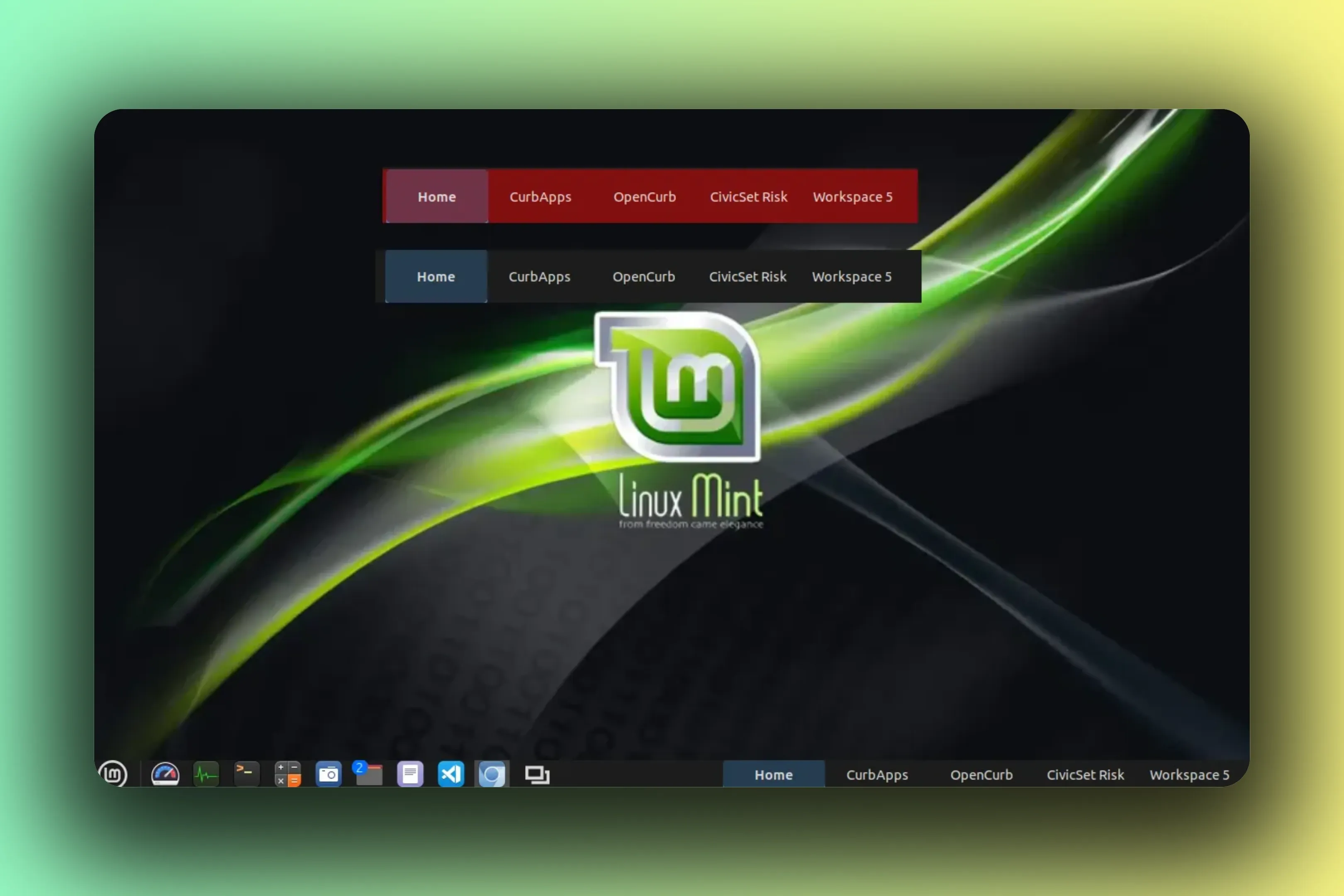
Workspaces usually live behind a keyboard shortcut and a guess. In Panel Workspace Name moves the whole map into the panel itself: one button per workspace, always visible, always current. Click one and you are there. The active button takes the panel theme’s outlined state, so the map never lies about where you are.
The panel becomes the workspace map.
Buttons label themselves three ways: name only, number only, or number and name. A maximum width keeps long names polite, tooltips carry the full text, and every button exposes an accessible name.
It settles into whatever panel you give it. Horizontal or vertical, dense or wide: label bounds adapt to the panel’s density, and vertical panels get compact name prefixes. The wheel can switch workspaces, forward or reversed, or stay out of the way entirely.
The applet menu keeps the plumbing: Expo, add, rename, remove. Everything updates live as workspaces are added, removed, reordered, renamed, or switched. It grew out of workspace-name@willurd, and that lineage stays credited in the meta rail above.
applet v1.2.0 GPL-2.0+
Features
The panel strip
The same panel, three label modes. The active button takes the outlined state in the panel theme; a trailing + adds a workspace. This is the whole applet: visible, current, one click wide.
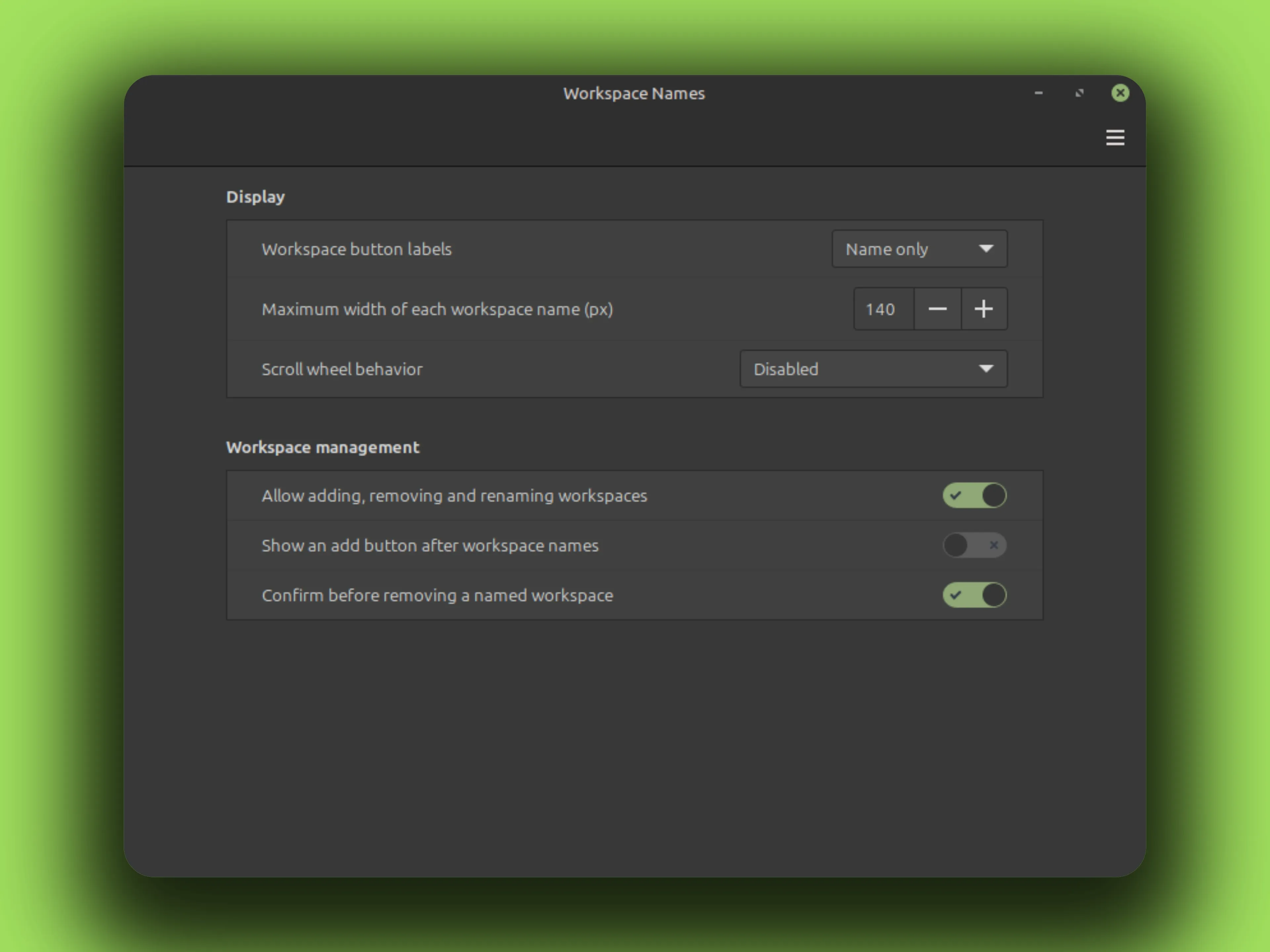
Scroll wheel Off by default. Turn it on and the wheel walks workspaces forward; reversed walks them back. The old checkbox migrated once to this three-state setting.
Vertical panels get compact name prefixes when space runs out, and every button carries its full name as a tooltip and an accessible name.
Settings
Fragment of the real settings window. Labels and defaults come from settings-schema.json.
Gallery
Install
No root needed. Everything lands in your home directory. The rm -rf before each copy is the upgrade path; your settings live elsewhere and survive.
curl -fLO https://github.com/CurbSoftware/cinnamon-workspace-names-applet/releases/latest/download/cinnamon-workspace-names-applet.zip
unzip -o cinnamon-workspace-names-applet.zip
mkdir -p ~/.local/share/cinnamon/applets
rm -rf ~/.local/share/cinnamon/applets/cinnamon-workspace-names-applet@curbsoftware
cp -r cinnamon-workspace-names-applet@curbsoftware/files/cinnamon-workspace-names-applet@curbsoftware ~/.local/share/cinnamon/applets/cinnamon-workspace-names-applet@curbsoftware git clone https://github.com/CurbSoftware/cinnamon-workspace-names-applet.git || git -C cinnamon-workspace-names-applet pull
cd cinnamon-workspace-names-applet
mkdir -p ~/.local/share/cinnamon/applets
rm -rf ~/.local/share/cinnamon/applets/cinnamon-workspace-names-applet@curbsoftware
cp -r files/cinnamon-workspace-names-applet@curbsoftware ~/.local/share/cinnamon/applets/cinnamon-workspace-names-applet@curbsoftware Restart Cinnamon (Alt-F2, type r, Enter), then add the applet from Cinnamon Settings.